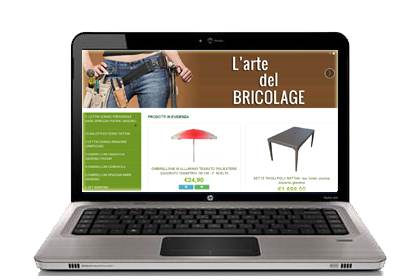
Semplicissimo da configurare, totalmente personalizzabile e con assistenza inclusa.
 Sistemi di pagamento e spedizione configurabili.
Crei categorie e prodotti con la velocità di un click.
Ottimizzato per i motori di ricerca.
Pronto per il Dropshipping.
Layout responsive per cellulari e tablet.
Attiva il tuo E-Ecommerce NewCart Attiva una DEMO e prova il servizio
1) Perchè tanti commercianti usano già NewCart
2) Perchè funziona ed aiuta a far decollare il tuo business
3) Perchè è un prodotto Interferenza srl
4) Perchè gli aggiornamenti sono frequenti e gratuiti
5) Perchè è una soluzione solida e sicura...NO Hacker!
6) Perchè è scalabile e cresce insieme al tuo business
7) Perchè l'assistenza tecnica è reale ed efficace
8) Perchè è bello, completo, potente ed intuitivo
9) Perchè è l'ideale per il dropshipping
10) Perchè è una soluzione GESTITA e CHIAVI IN MANO
11) Perchè NewCart ha una PROPRIA WEB FARM
12) Perchè IL FUNZIONAMENTO E' SEMPRE GARANTITO
Leggi tutti i dettagli sul perchè scegliere NewCart
NewCart permette di automatizzare il dialogo tra l' E-Shop e i tuoi negozi su eBay, Amazon e ManoMano in modo semplice ed efficace.
Pubblica le tue offerte di vendita singole o multiple direttamente dal tuo pannello di controllo
Sincronizza le quantità del sito e-commerce con le quantità dei prodotti presenti sui MarketPlace
Acquisisci ordini ed anagrafiche clienti direttamente nel tuo pannello di controllo
Aumenta enormemente il tuo potenziale di vendita in modo semplice ed immediato
Scopri tutte le caratteristiche del modulo eBay
Scopri tutte le caratteristiche del modulo Amazon.
NewCart ti consente di collegare l'intero catalogo del tuo sito eCommerce con Facebook e Instagram.
Bastano pochi click per iniziare a vendere sui social, sincronizzando automaticamente l'intero feed prodotti nel tuo Facebook Business Manager.
Grazie a questa funzionalità potrai promuovere tutti i tuoi prodotti simultaneamente invece di dover creare singoli annunci sponsorizzati.
La sincronizzazione, una volta configurata, à completamente automatizzata e vedrai comparire i prodotti nella tua Vetrina Facebook senza dover effettuare operazioni manuali sui singoli prodotti

L'abbandono del carrello a pochi click dall'ordine è l'incubo peggiore per qualunque imprenditore online.
Con NewCart è disponibile un fantastico plugin che ti aiuta concretemente a recuperare i carrelli abbandonati sul tuo E-Commerce.
Potrai vedere in tempo reale tutto quello che accade sul tuo E-Shop, quali clienti sono prossimi a completare un acquisto e quali prodotti hanno aggiunto al carrello.
Inoltre è possibile pianificare una lista di notifiche email completamente automatizzate in grado di ricordare ai tuoi clienti cosa hanno aggiunto al carrello e magari convincerli con uno sconto appositamente pensato per loro.
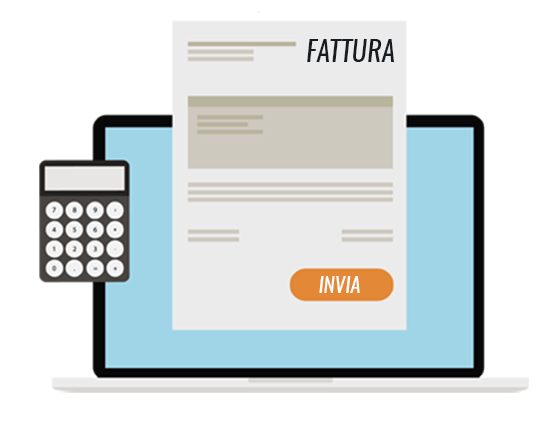
Da Gennaio 2019 le regole per la fatturazione sono cambiate e NewCart è già pronto ad emettere direttamente dal tuo E-Commerce le nuove fatture in formato elettronico.
Richiedi PEC o Codice Destinatario direttamente in fase d' ordine o registrazione sul tuo E-Shop
Emetti Fatture Elettroniche velocemente a partire dagli ordini ricevuti nel tuo pannello di controllo, senza dover digitare a mano i dati del cliente, dei prodotti venduti etc...
Scarichi la Fattura Elettronica in formato XML direttamente dal tuo pannello di controllo
Trasmetti le tue fatture elettroniche all'SDI (Sistema Di Interscambio) direttamente dal tuo E-Shop
Segui gli stati di avanzamento relativi alla consegna e alla accettazione delle tue Fatture Elettroniche

Automatizza le tue spedizioni e gestisci contemporaneamente in una sola applicazione gli ordini che ricevi dal tuo sito web, da eBay, da Amazon e da ManoMano.
Puoi risparmiare tempo, evitando di dover digitare a mano gli indirizzi, evitando errori di battitura e gestendo anche più corrieri contemporaneamente in relazione allo stesso ordine.
Una gestione efficiente della fase di spedizione degli ordini è cruciale per chi vende online.
Prepara con un solo click gli ordini per BARTOLINI, CRONO, GLS, TNT, NEXIVE, SDA, SPEDISCI ONLINE E STEF.
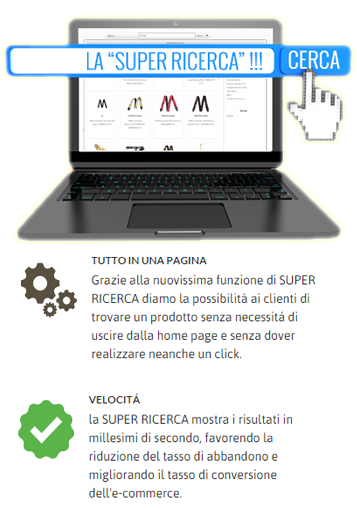
Un motore di ricerca potente, rapido ed intuitivo pensato per il tuo E-Shop NewCart!
I visitatori del tuo sito E-Commerce non avranno problemi nel trovare quello che cercano grazie ad un sistema tanto veloce quando intelligente.
Aumenta le vendite del tuo E-Commerce
Sapevi che gli utenti hanno poca pazienza e abbandonano un sito se non trovano quello che cercano in pochi secondi?
E che gli utenti che usano la search box comprano di più degli altri?
La SUPER RICERCA aiuta il tuo business perchè aiuta i tuoi clienti a trovare facilmente e velocemente i prodotti nel tuo E-Shop NewCart.
Scopri tutte le caratteristiche della funzione Super Ricerca

Tutti gli E-Shop NewCart Pro prevedono la possibilità di gestire un vero e proprio Blog completamente integrato nel proprio sito E-Commerce.
Il blog è il migliore amico del SEO, perchè ti offre la possibilità di scrivere contenuti personalizzati su parole chiave mirate, aumentando così il traffico al tuo sito E-Commerce!
I maggiori benefici dell' avere un Blog integrato con il proprio E-Shop:
Aumenta la qualità del traffico del sito
Migliora la visibilità e l'importanza nei risultati dei motori di ricerca
Migliora sensibilmente il "Branding", ovvero il valore percepito dai consumatori rispetto alla tua attività online
Dimostra al tuo bacino d'utenza che la tua azienda è viva, dinamica, sempre aggiornata ed al passo con i tempi
Aumenta la possibilità di essere condivisi su altri blog o social network, aumentando la link popularity del dominio
NewCart gestisce la navigazione del tuo ecommerce su navigazione sicura https che di fatto garantisce numerosi vantaggi:
Miglior posizionamento - Google valorizza i siti provvisti del certificato SSL, posizionandoli meglio nella sua SERP
Utilizzo di Google Shopping - i siti e-commerce possono usufruire di questo servizio solo se provvisti di certificato SSL
Sicurezza ed affidabilità - la tutela e la crittografia dei dati garantiscono la sicurezza delle transazioni e dello scambio di informazioni in ogni istante
Feedback positivo in Chrome - il browser di Google segnala il sito di e-commerce SSL come protetto, non etichettandolo come "non sicuro", cosa che accade invece per tutti siti sprovvisti del protocollo https
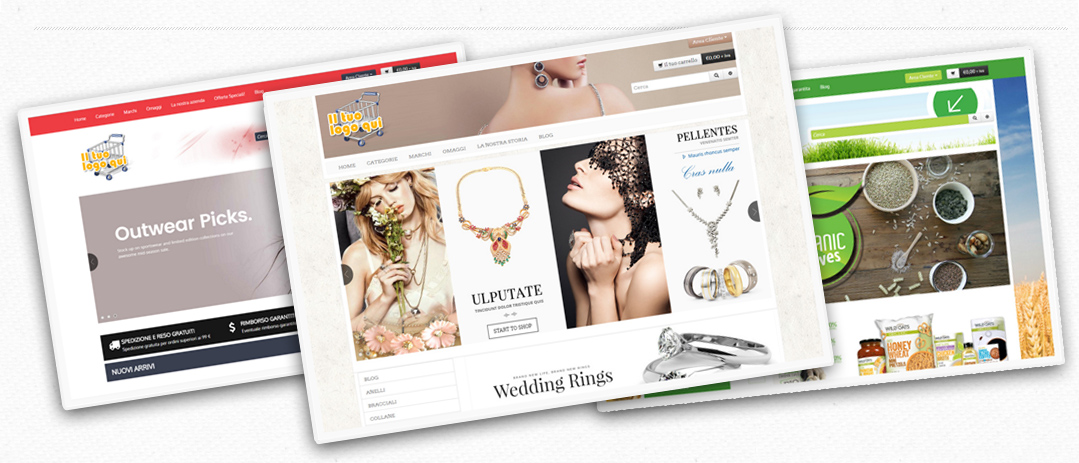
La piattaforma NewCart è ricca di tanti template gratuiti già disponibili nella piattaforma.
Ovviamente si tratta di layout grafici particolarmente generici in modo da essere facilmente personalizzati
da ogni singolo negoziante in base ai propri gusti ed esigenze.
Scopri i template gratuiti
Per chi volesse una soluzione chiavi in mano anche dal punto di vista del design, NewCart mette a disposizione
un apposito Market dove è possibile acquistare template grafici già contestualizzati in base ai vari settori
merceologici.
Scopri tutti i template premium
Newcart è la soluzione perfetta anche per il Dropshipping prevedendo un sistema di funzioni pensate per popolare il tuo E-Shop importando prodotti anche da più fornitori dropshipper contemporaneamente.
Scopri subito alcuni dei Dropshipper disponibili con NewCart
NewCart è già integrato con i principali sistemi di pagamento disponibili in Italia come ad esempio Paypal, Banca Sella, Unicredit, Stripe, E-consel (per il pagamento rateale), Banca Triveneto, XPAY, Setefi, Iwsmile e tanti altri !
Ovviamente disponibili anche le metodologie più classiche come Bonifico Bancario, Contrassegno e Ritiro in sede
Consulta la lista completa di tutti i metodi di pagamento integrati in NewCart
Grazie alla possibilità di integrazione tra i software gestionali e NewCart la pubblicazione dei prodotti e lo scaricamento degli ordini non sono mai stati così semplici!
Ora puoi importare nel tuo E-Shop prodotti, quantità, prezzi, categorie, foto, descrizioni ed ordini ricevuti in modo completamente automatizzato.
NewCart è già integrato con Danea Easyfatt ed Ergosoft
Hai realizzato o commercializzi un software gestionale e desideri integrarlo con NewCart? Ecco come fare...
I template del tuo E-Shop sono già pensati ed ottimizzati per ottenere ottimi risultati sui principali motori di ricerca permettendo ai tuoi prodotti di essere trovati fin da subito.
La gestione dei Meta Tags risulta completamente automatizzata nell'intento di garantirti il miglior risultato possibile; ad ogni modo potrai decidere di modificare manualmente i Meta Tags Title, Description e Keywords di ogni singolo prodotto del tuo E-Shop.

Attivando un E-Shop il tuo dominio personalizzato è incluso nel prezzo.
Il dominio personalizzato è necesserio per garantire credibilità e visibilità al tuo business online.
L'E-Shop comprende anche 5 caselle di posta elettronica associate al tuo dominio, ad esempio: info@iltuodominiopreferito.it oppure ordini@iltuodominiopreferito.it
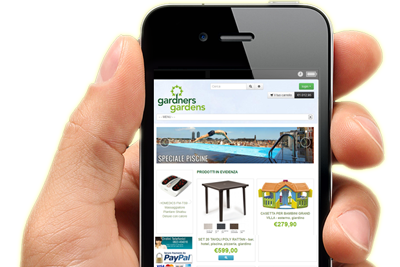
La maggior parte dei template disponibili sono già ottimizzati per un' ottimale visualizzazione mobile. Questo significa che ogni tua modifica ai contenuti o nuovo prodotto inserito verranno resi disponibili automaticamente anche nella versione mobile.
Permetti da subito ai tuoi clienti di acquistare senza alcun problema ed in comodità dal loro tablet o smartphone
Affidarsi a Newcart.it non significa solo godere di una soluzione E-Commerce completa e professionale, ma anche entrare da subito a far parte di un Network di Visibilità in rapida espansione che il nostro team ha sviluppato per tutti i suoi utenti.
Attivando il tuo E-Shop sarai ad esempio da subito visibile gratuitamente sul portale di comparazione prezzi www.offertissime.shop.
E se non dovesse bastare?
Contattaci e studieremo con te il piano di marketing più efficace per potenziare il tuo business online
Vai alla pagina
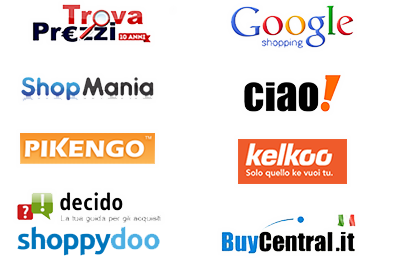
Vuoi esportare i tuoi prodotti sui principali comparatori di prezzo ed avere statistiche dettagliate sui risultati delle tue campagne promozionali online?
NewCart mette a tua disposizione una serie di esportazione già preconfigurate con i maggiori comparatori online: Trovaprezzi, Kelkoo, Ciao, Offertissime.shop e tanti altri.
Vuoi pubblicizzarti su un comparatore non presente tra quelli già implementati?
Puoi preparare infinite esportazioni personalizzate definendo la struttura del feed prodotti.
Potrai sempre contare su un supporto tecnico specializzato di altissimo profilo che sarà pronto ad aiutarti nel risolvere dubbi o problematiche relative al tuo E-Shop o alla tua attività online tramite.
In base al piano di abbonamento selezionato ed alle tue esigenze potrai avvalerti di supporto via telefono, email, forum online oppure videoguide online
Visita la pagina delle Videoguide
Consulta la nostra Documentazione tecnica
Super rapidi e gentilissimi.

Eccellente...sono sempre molto professionali e cortesi... Risolvono in tempi brevissimi tutte l'esigenze!!! Consiglio a tutti di affidarsi a loro.
Avendo vissuto di persona, con pianetabatterie.it, l'evoluzione del vostro gestionale e la preparazione e prontezza di chi vi è alle spalle, mi sento oggi di poter contare su di voi. Spero che le migliorie del gestionale continuino esponenzialmente come in queste ultime release.



.png)


| Ordini realtime sui nostri E-Shop |